Table of Contents
Introduction
Looking to boost your website’s visibility without spending a dime? Google Free SEO Tools are the ultimate solution for bloggers, small business owners, and beginners who want to improve search rankings effectively. From Google Search Console SEO and Google Analytics for SEO to Google Keyword Planner free and PageSpeed Insights SEO, these free SEO tools by Google provide powerful insights to grow traffic and optimize performance. Whether you’re exploring the best free SEO tools 2025, doing a Google SEO audit, or learning how to use Google SEO tools as a beginner, this guide covers everything you need. Let’s dive into the 10 best Google SEO tools that help you boost rankings, track performance, and manage your site like a pro.
🛠️ The 10 Best Google Free SEO Tools to Boost Rankings
1. Google Search Console: Your SEO Command Center
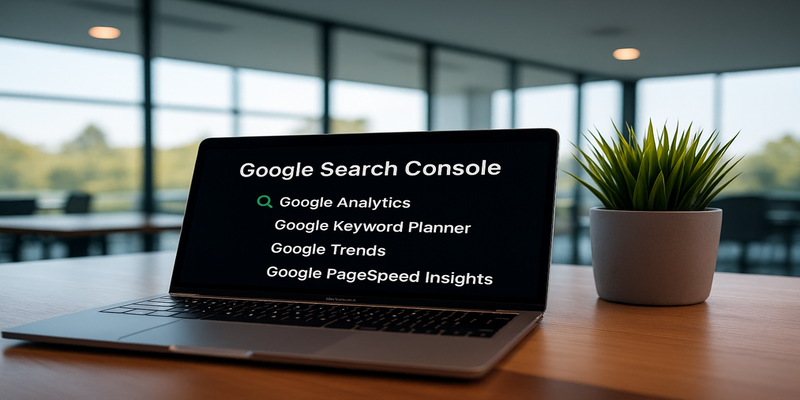
Google Search Console (GSC) is the foundation of all Google Free SEO Tools. It gives you the data you need to understand how your website appears in Google search and what’s holding it back. Google Search Console is one of the most essential Google Free SEO Tools. It gives website owners real-time insights into how Google crawls, indexes, and ranks their pages. With features like performance reports, keyword tracking, and indexing checks, it’s the perfect starting point for Google SEO tools for beginners. Among the best free SEO tools 2025, Search Console stands out as a must-have for monitoring and fixing site visibility issues.
With GSC, you can:
- ✅ Track keyword performance and impressions
- ✅ Identify crawling and indexing errors
- ✅ Submit XML sitemaps for better coverage
- ✅ Analyze Core Web Vitals and mobile usability
- ✅ Monitor backlinks and internal links
💡 Pro Tip: Use GSC to find pages with high impressions but low CTR—then optimize their titles and meta descriptions to improve clicks.
🔑 Key Features:
- Performance reports for keywords, impressions & clicks
- Index coverage and error reports
- Sitemap submission & inspection tool
- Mobile usability checks
- Backlink data & internal linking insights
🛠️ How to Use It:
- Verify your website in GSC (via domain verification or HTML tag).
- Submit your sitemap for faster indexing.
- Check “Coverage” to fix crawling issues.
- Review “Performance” to find underperforming keywords.
- Monitor Core Web Vitals for user experience improvements.
👉 Learn how to optimize your WordPress site before submitting to GSC: WordPress SEO Settings: The Ultimate Beginner’s Guide
2. Google Analytics: Your Data-Driven SEO Companion
Google Analytics is one of the most widely used Google Free SEO Tools for tracking visitor activity and making informed SEO decisions. When it comes to free SEO tools by Google, Analytics is unmatched. It helps you understand user behavior, traffic sources, and engagement across your site. This tool is widely considered one of the best Google SEO tools for beginners because it provides clear insights into what’s working and what needs improvement. In 2025, Analytics remains a core part of any SEO strategy for tracking conversions and aligning content with audience intent.
With Analytics, you can:
- ✅ Track organic traffic growth
- ✅ Measure bounce rates and engagement
- ✅ Identify top-performing pages
- ✅ Set up goals and conversions
- ✅ Segment your audience by device, region, or behavior
💡 Pro Tip: Pair Analytics with Search Console for a complete picture—keywords from GSC + user behavior from Analytics = SEO gold.
🔑 Key Features:
- Real-time traffic tracking
- Audience segmentation (age, device, location)
- Behavior flow (how users move through your site)
- Conversion and goal tracking
- Custom reports and dashboards
🛠️ How to Use It:
- Create a free account at analytics.google.com
- Add the GA tracking code or integrate via GTM.
- Set up “Goals” like signups or downloads.
- Use “Acquisition > Organic Search” to view SEO traffic.
- Compare landing pages to see which posts bring the most engagement.
👉 For better engagement metrics, optimize with this guide: Ultimate WordPress On-Page SEO Checklist for Beginners in 2025
3. Google Keyword Planner: Your Keyword Discovery Engine
Google Keyword Planner is one of the most reliable Google Free SEO Tools for keyword research. If you’re looking for SEO tools to improve ranking, Google Keyword Planner is an excellent choice. Originally created for advertisers, it’s now one of the most popular Google Free SEO Tools for keyword discovery. Whether you’re a blogger, small business owner, or new to SEO, it helps you find search volume, keyword difficulty, and content opportunities. For 2025, it’s still among the best free SEO tools by Google for planning a content strategy.
With Keyword Planner, you can:
- ✅ Find keyword search volumes
- ✅ Discover related keyword ideas
- ✅ Check competition levels
- ✅ Estimate CPC values for commercial intent
💡 Pro Tip: Don’t just chase high-volume keywords. Use Keyword Planner to uncover long-tail keywords with lower competition and higher conversion potential.
🔑 Key Features:
- Keyword ideas with search volume trends
- Competition and CPC data
- Location & device targeting filters
- Seasonal keyword trends
🛠️ How to Use It:
- Open Keyword Planner in Google Ads (free account needed).
- Select Discover New Keywords or Get Search Volume & Forecasts.
- Enter seed keywords (e.g., “WordPress SEO”).
- Filter results by country or language.
- Export the keyword list for blog planning.
👉 Pair Keyword Planner with AI keyword workflows: How to Create SEO-Optimized Blogs for WordPress with Perplexity & GPT, Keywords & Mediaate search volume and low competition for better ranking opportunities. Use these insights to craft content that aligns with user intent.
4. Google Trends: Stay Ahead of the Curve
Google Trends is the go-to Google Free SEO Tool for spotting trends before they peak. Google Trends keyword research is perfect for spotting emerging topics and seasonal trends. This Google SEO tool for beginners shows how search interest changes over time, helping you create timely and relevant content. As one of the best free SEO tools 2025, it supports general SEO terms research and helps identify what audiences are searching for right now.
With Google Trends, you can:
- ✅ Identify seasonal keyword patterns
- ✅ Compare keyword popularity
- ✅ Spot rising search queries
- ✅ Research by region for local SEO
💡 Pro Tip: Combine Google Trends with Keyword Planner—first find trending topics, then validate search volume.
🔑 Key Features:
- Real-time trending searches
- Keyword popularity graphs over time
- Regional keyword breakdowns
- Related queries & topics suggestions
🛠️ How to Use It:
- Visit Google Trends
- Search for your topic (e.g., “AI SEO”).
- Compare multiple keywords.
- Filter by country or time range.
- Export data for blog content planning.
👉 Need content ideas fast? Use these: 50 Best ChatGPT Prompts for SEO: Skyrocketing Your Website in 2025
Impact of Google Free SEO Tools by SEO Area
Each bar shows the relative impact (based on a 1–10 scale) of the first five tools: Google Search Console, Google Analytics, Google Keyword Planner, PageSpeed Insights, and Google Trends.
5. Page Speed Insights: Your Website Speed Doctor
PageSpeed Insights is one of the most practical Google Free SEO Tools for optimizing site performance. Page speed is now a ranking factor, which makes Google PageSpeed Insights SEO vital. This Google Free SEO Tool checks loading times, Core Web Vitals, and performance for both mobile and desktop. For businesses aiming to boost user experience, it’s one of the best free SEO tools by Google to improve technical SEO. Beginners will find it simple, yet effective, for optimizing performance.
With PageSpeed Insights, you can:
- ✅ Test page speed on desktop & mobile
- ✅ Measure Core Web Vitals (LCP, CLS, FID)
- ✅ Identify slow-loading resources
- ✅ Get actionable speed improvement tips
💡 Pro Tip: A faster site doesn’t just help rankings—it increases dwell time, shares, and even boosts backlinks.
🔑 Key Features:
- Performance score for desktop and mobile
- Core Web Vitals analysis
- Resource optimization tips (images, scripts)
- Lab data + real-world user metrics
🛠️ How to Use It:
- Go to PageSpeed Insights
- Enter your website URL.
- Review the performance score & Core Web Vitals.
- Fix issues like large images, unused CSS, and render-blocking scripts.
- Retest after applying changes.
👉 Learn why performance helps with backlinks: Ultimate WordPress Link-Building Strategy for 2025: Boost Your SEO and Authority
6. Google Business Profile: Your Local SEO Booster
Google Business Profile is a must-have Google Free SEO Tool for local visibility. Google Business Profile is one of the most valuable Google Free SEO Tools for boosting local visibility. By optimizing your business profile, you can appear in Google Maps and local search results, making it easier for nearby customers to find you. For small businesses and beginners, this tool is among the best free SEO tools 2025, helping improve rankings and engagement with minimal effort.
With Google Business Profile, you can:
- ✅ Appear in Google Maps results
- ✅ Collect reviews to build trust
- ✅ Display hours, contact info, and services
- ✅ Post updates, offers, and news
💡 Pro Tip: The more complete your profile is, the higher your chances of appearing in the “local 3-pack.”
🔑 Key Features:
- Free Google Maps listing
- Review and rating management
- Posts & updates feature
- Local insights (calls, visits, clicks)
🛠️ How to Use It:
- Go to Google Business Profile
- Claim or create your business listing.
- Add details like hours, services, and website link.
- Upload high-quality photos.
- Encourage satisfied customers to leave reviews.
7. Google Lighthouse: Your Technical SEO Auditor
Google Lighthouse is a powerful Google Free SEO Tool for site audits and performance optimization. If you need a full site audit, Google Lighthouse SEO tool is your best bet. It analyzes performance, accessibility, SEO, and overall quality. Developers and SEO beginners alike use this free SEO tool by Google to identify technical issues. In 2025, Lighthouse remains one of the best free SEO tools for improving website health and search readiness.
With Lighthouse, you can:
- ✅ Run SEO, accessibility, and performance audits
- ✅ Identify schema and metadata issues
- ✅ Check site speed metrics
- ✅ Test coding best practices
💡 Pro Tip: Always run Lighthouse audits after major site updates or theme changes to catch errors early.
🔑 Key Features:
- SEO audit reports
- Accessibility checks
- Progressive Web App audits
- Mobile-first optimization insights
🛠️ How to Use It:
- Open Chrome browser → Right-click → Inspect → Lighthouse tab.
- Select categories (SEO, Performance, etc.).
- Run audit for desktop or mobile.
- Review recommendations and fix issues.
- Retest after applying fixes.
👉 Want better CTR from search results? Use structured data: The Ultimate Guide: How to Add FAQ Schema in WordPress for Maximum SEO Impact
8. Google Tag Manager: Your SEO Tracking Powerhouse
Managing multiple tracking codes manually can be a nightmare. That’s why Google Tag Manager (GTM) is one of the most practical Google Free SEO Tools for advanced tracking and analytics. Instead of adding scripts manually into your website code, GTM acts as a container, letting you manage everything from one dashboard. Google Tag Manager simplifies event tracking and analytics setup without coding. For those exploring Google SEO tools for beginners, it’s a great way to manage tags efficiently. While it may not directly improve rankings, it’s one of the best free SEO tools by Google for tracking marketing and SEO performance in 2025.
With GTM, you can:
- ✅ Add and manage tags easily – Without touching site code.
- ✅ Track user behavior – Monitor clicks, video views, form submissions, and scroll depth.
- ✅ Integrate with Analytics & Ads – Centralize all tracking in one place.
- ✅ Improve site performance – Reduce heavy scripts and speed up your site.
💡 Pro Tip: Beginners can start by tracking simple actions like button clicks or form fills. As you grow, GTM can handle advanced SEO tracking—like monitoring conversions, eCommerce events, or custom interactions—to see which optimizations truly pay off.
🔑 Key Features of Google Tag Manager
- Tag Management: Deploy Google Analytics, Ads, remarketing, and third-party tracking codes from one place.
- Triggers & Events: Fire tags only when users perform specific actions (e.g., clicking a download button).
- Variables: Capture dynamic data such as page URLs, user IDs, or product categories.
- Preview & Debug Mode: Test your tags before publishing to avoid breaking your site.
- Version Control: Roll back to previous setups if you make a mistake.
🛠️ How to Use Google Tag Manager
- Set up a GTM account at tagmanager.google.com and create a new container for your website.
- Add the GTM code snippet to your site’s header and body (most WordPress SEO plugins like Rank Math or themes allow this easily).
- Create your first tag – for example, link Google Analytics 4 with GTM instead of manually inserting its tracking code.
- Set triggers to fire your tag—like tracking a form submission or a button click.
- Use preview mode to ensure the tag fires correctly before publishing.
- Publish and monitor performance from the GTM dashboard.
✅ Why It Matters for SEO: By accurately tracking user behavior, you gain deeper insights into how people interact with your content. This allows you to improve engagement signals, conversions, and ultimately—rankings.
👉 Pair GTM with Google Analytics for SEO (covered earlier) to create a complete tracking ecosystem for your website.
9. Google Data Studio (Looker Studio): Your SEO Reporting Dashboard
Google Data Studio is one of the most advanced Google Free SEO Tools for reporting. Reporting is a huge part of SEO, and Google Data Studio SEO reporting makes it easy. This Google Free SEO Tool transforms raw data from Analytics, Search Console, and more into interactive dashboards. It’s especially useful for agencies, small businesses, and bloggers looking for professional reporting. As one of the best free SEO tools 2025, it helps present SEO data in a way that’s clear and actionable.
With Data Studio, you can:
- ✅ Combine Analytics, GSC, Ads, and YouTube data
- ✅ Build visual SEO dashboards
- ✅ Automate weekly or monthly reports
- ✅ Share reports with clients or teams
💡 Pro Tip: Use templates for quick setup, then customize with your KPIs (organic traffic, CTR, conversions).
🔑 Key Features:
- Free SEO reporting dashboards
- Customizable charts and tables
- Real-time data integration
- Easy sharing via links or embed codes
🛠️ How to Use It:
- Visit Google Data Studio
- Connect Google Analytics or GSC.
- Use a premade SEO template.
- Customize metrics (traffic, impressions, CTR).
- Share with stakeholders via link access.
10. Google Ads Display Planner: Your Content Discovery Assistant
Although built for advertisers, Google Ads Display Planner doubles as a Google Free SEO Tool for content marketers. The Google Ads Display Planner may be designed for advertisers, but it’s also a powerful Google Free SEO Tool for content discovery. By analyzing placements, demographics, and audience interests, it helps uncover new topics and keyword ideas. For bloggers, small businesses, and beginners, it works as a hidden gem among the best free SEO tools 2025, guiding smarter content strategies beyond just paid campaigns.
With Display Planner, you can:
- ✅ Discover content placement opportunities
- ✅ Analyze competitor ads and targeting
- ✅ Find niche audiences for SEO targeting
- ✅ Gather content ideas for blog strategy
💡 Pro Tip: Use audience insights from Display Planner to identify topics and angles your competitors haven’t covered yet.
🔑 Key Features:
- Audience & interest data
- Competitor placement analysis
- Demographic insights
- Keyword-based content ideas
🛠️ How to Use It:
- Log into Google Ads → Tools → Display Planner.
- Enter a keyword, landing page, or audience.
- View suggested placements and audience data.
- Export keyword and topic ideas.
- Repurpose data into SEO-focused blog posts.
✅ Wrap-Up
By mastering these 10 Google Free SEO Tools, you unlock insights directly from Google itself. Each tool—whether it’s Google Search Console, PageSpeed Insights, or Data Studio—addresses a unique part of SEO: performance, keyword research, technical audits, or reporting.
👉 Next step? Combine these tools with smart WordPress strategies like WordPress SEO Settings: The Ultimate Beginner’s Guide
| Tool Name | Primary Purpose | Best For | Skill Level | Direct Link |
|---|---|---|---|---|
| 🔎 Google Search Console | Keyword & Indexing Insights | Website owners, bloggers | Beginner | Open GSC |
| 📊 Google Analytics 4 | Traffic & Behavior Analysis | Businesses & marketers | Intermediate | Open GA |
| 📝 Google Keyword Planner | Keyword Research | Bloggers, SEO specialists | Beginner | Open Planner |
| ⚡ PageSpeed Insights | Speed & Core Web Vitals | Developers, site owners | Beginner | Open PSI |
| 📈 Google Trends | Search Trend Analysis | Bloggers, content creators | Beginner | Open Trends |
| 📍 Google Business Profile | Local SEO Optimization | Local businesses | Beginner | Open GBP |
| 🏷️ Google Tag Manager | Tag & Event Tracking | Marketers, advanced users | Intermediate | Open GTM |
| 🛠️ Google Lighthouse | Technical SEO Audits | Developers, site owners | Beginner | Open Lighthouse |
| 📑 Google Data Studio | SEO Reporting & Visualization | Agencies, advanced SEO pros | Intermediate | Open Studio |
| 🔔 Google Alerts | Brand & Competitor Tracking | Everyone | Beginner | Open Alerts |
⭐ Why Google’s Free SEO Tools Are a Game-Changer
When it comes to building online visibility, Google Free SEO Tools are unmatched. Unlike third-party platforms, these tools are created by the very search engine that determines your website’s ranking. That means you get accurate, real-time insights into how Google crawls, indexes, and evaluates your site. For beginners, small businesses, and even advanced marketers, these free SEO tools by Google are the fastest path to improving visibility without heavy investment.
Here’s why they stand out in 2025:
🔹 1. Data From the Source
Google’s Free SEO Tools give you first-hand data—not estimates. Whether you’re using Google Search Console SEO to monitor indexing issues or Google Analytics for SEO to understand user behavior, the insights you receive are exactly what Google uses to measure your site’s performance.
🔹 2. Keyword Research That Works
Tools like Google Keyword Planner (free) and Google Trends keyword research allow you to identify high-value search terms that align with real user intent. For Google SEO tools for beginners, these resources simplify general SEO terms like keyword volume, CPC, and search trends—making them perfect for creating data-driven content strategies.
🔹 3. Improve Rankings With Technical Fixes
Fast-loading, mobile-friendly websites rank higher. PageSpeed Insights SEO, Mobile-Friendly Test, and Google Lighthouse site audit highlight exactly what needs fixing—from site speed to usability. These are some of the best free SEO tools 2025 to ensure your site meets Google’s technical standards.
🔹 4. Local & Small Business Growth
If you’re running a local business, Google Business Profile (formerly Google My Business) is a must-have. It helps you appear in Maps and local searches while showcasing reviews, photos, and business updates. For entrepreneurs, it’s one of the best free SEO tools for small business to attract nearby customers.
🔹 5. Smarter Tracking & Reporting
Advanced tools like Google Tag Manager SEO tracking and Google Data Studio SEO reporting allow you to track conversions, user journeys, and campaign performance—all in one place. These Google SEO audit tools are especially useful for agencies and growing businesses.
💡 Why This Matters:
- For beginners, these are the best SEO tools to improve ranking without cost.
- For small businesses, they offer free ways to compete with larger brands.
- For marketers, they streamline SEO audits, keyword research, and performance tracking.
- For anyone asking “is Google SEO free?”—the answer is yes. These tools give you a full SEO toolkit without spending a dime.
👉 Simply put, mastering how to use Google SEO tools is one of the smartest moves you can make in 2025 if you want to boost website traffic, improve visibility, and grow online authority.
🔍 Google Free SEO Tools vs. Paid SEO Tools
When you’re just starting out with SEO, one big question comes up: Should you rely on Google Free SEO Tools or invest in paid SEO software? The truth is, both have their place. While free SEO tools by Google are perfect for beginners, small businesses, and anyone who wants data straight from the source, paid tools often provide more advanced features like competitor research, backlink analysis, and all-in-one dashboards.
If you’re a beginner or running on a budget, Google SEO tools for beginners (like Search Console, Analytics, and Keyword Planner) give you everything you need to improve rankings, track performance, and optimize your website. As your site grows, you may consider combining them with paid tools for deeper insights.
Here’s a side-by-side comparison:
📊 Google Free SEO Tools vs. Paid SEO Tools
| Feature / Benefit | 🌐 Google Free SEO Tools | 💼 Paid SEO Tools (Ahrefs, SEMrush, etc.) |
|---|---|---|
| Cost | ✅ Free forever | 💲 Expensive (monthly subscriptions) |
| Data Source | 🔎 Direct from Google (accurate, real-time) | 📊 Third-party estimates |
| Best For | Beginners, bloggers, small businesses | Agencies, enterprises, advanced SEO |
| Keyword Research | 📈 Google Keyword Planner & Trends (search volumes & trends) | 🏆 Advanced keyword difficulty, competitor keyword analysis |
| Technical SEO | ⚡ PageSpeed Insights, Mobile-Friendly Test, Lighthouse | 🔧 Site crawlers, backlink audits, advanced error tracking |
| Local SEO | 📍 Google Business Profile (maps, reviews, local visibility) | 🌎 Local rank tracking, competitor mapping |
| User Behavior Tracking | 📊 Google Analytics (visitor data, engagement, conversions) | 🧠 Heatmaps, user recordings, deep funnel analysis |
| Backlink Data | ❌ Limited (not included) | 🔗 Comprehensive backlink analysis |
| Custom Reports | 📑 Google Data Studio (free dashboards) | 📊 Advanced reporting with automation & competitor data |
| Ease of Use | ⭐ Beginner-friendly | ⚠️ Steeper learning curve |
| Quick Tip | 💡 Best used with Google SEO audit tools (Search Console + Analytics combo) | 💡 Best when combined with Google Free SEO Tools for accuracy |
🚀 Getting Started with Google’s Free SEO Tools

If you’re new to SEO, getting started can feel overwhelming—but Google’s Free SEO Tools make the process much simpler, even for beginners. Think of them as your starter kit for SEO success, covering everything from tracking performance to finding the right keywords.
Start with Google Search Console and Google Analytics—two of the most important Google SEO tools for beginners. These platforms allow you to monitor site performance, track visitor behavior, and fix indexing or crawling issues using clear, general SEO terms that are easy to understand.
Next, move to Google Keyword Planner and Google Trends. These tools are perfect for uncovering high-value keywords, trending topics, and seasonal opportunities. By focusing on the right search terms, you’ll ensure your content aligns with what users are actively searching for.
To boost site usability, regularly run checks with Google PageSpeed Insights and the Mobile-Friendly Test. A fast-loading, mobile-optimized website is not only user-friendly but also ranks higher in search results.
For local businesses, Google My Business (GMB) is essential. It helps you stand out in Google Maps and local search by showing your address, contact info, reviews, and business updates directly to nearby customers.
💡 Pro Tip for Beginners: Start small—set up one tool at a time. As you grow more comfortable, combine these tools into your workflow. For example, use Google Search Console to identify ranking keywords, and then expand content ideas with Google Trends.
By integrating these Google SEO tools for beginners into your routine, you’ll gain a competitive edge without spending a dime. Whether you’re learning general SEO terms or fine-tuning advanced strategies, these tools provide the foundation you need to watch your website steadily climb the search rankings.
Which Google Free SEO Tools Beginners Use Most
Bringing It All Together
When it comes to building a strong online presence, the right toolkit can make all the difference. By leveraging Google Free SEO Tools, beginners and professionals alike can simplify research, track performance, optimize content, and generate actionable insights without spending a fortune.
From Google Keyword Planner and Google Trends for research and validation, to Google Search Console and Google Analytics for monitoring and performance tracking, every tool plays a unique role. Add in PageSpeed Insights, Google Lighthouse, and Google Tag Manager for technical optimization, along with Google Business Profile for local visibility and Looker Studio for reporting — and you have a complete workflow of free SEO tools by Google that align perfectly with modern General SEO Terms and strategies.
If you’re just starting your journey, these are the Google SEO tools for beginners that can help you understand rankings, traffic, and site health without confusion. And if you’re planning ahead, remember that the best free SEO tools 2025 are not about choosing one tool but knowing how to connect them together into a cohesive SEO strategy.
By using this interconnected toolkit, you’ll not only streamline your optimization process but also ensure your website is future-ready for search visibility, performance, and user experience.
Flow Diagram: How These Tools Work Together
Follow this recommended workflow using all 10 essential Google tools for SEO and digital marketing.
Pro Tip: Don’t rely on just one tool. The real power of Google Free SEO Tools comes from combining them — use Keyword Planner for ideas, Trends for validation, Search Console for tracking, and Analytics for insights. When you connect them together, you’ll unlock a complete SEO workflow that drives long-term results.
Conclusion
Mastering SEO may sound overwhelming at first, especially when you’re just getting familiar with general SEO terms like indexing, keywords, and backlinks. But the beauty of Google’s ecosystem is that it provides a complete set of Google SEO tools for beginners—all for free.
From Google Search Console helping you monitor performance to Google Keyword Planner guiding your content strategy, and PageSpeed Insights ensuring fast load times, these tools act as a roadmap to higher visibility. Even advanced platforms like Google Tag Manager and Google Data Studio are designed to scale as your SEO knowledge grows.
Whether you’re a blogger, small business owner, or digital marketer, using these tools consistently will help you:
- Discover opportunities for growth
- Fix hidden issues before they hurt your rankings
- Build a website that both search engines and users love
👉 Remember, SEO is not a one-time task—it’s an ongoing journey. Start small, keep learning, and let these Google Free SEO Tools guide you toward sustainable success.
FAQs About Google’s Free SEO Tools
Find answers to the most common questions about free Google SEO tools, based on People Also Ask queries.
Google offers several free SEO tools including Search Console, Analytics, PageSpeed Insights, Google Trends, and Keyword Planner.
Yes, many of Google’s SEO tools are free to use, making them accessible to beginners, small businesses, and website owners worldwide.
You can use Google Search Console to monitor website performance, fix indexing issues, submit sitemaps, and analyze keyword performance.
Google Search Console is often considered the best free SEO tool because it provides direct insights into how Google views your website.
Yes, Google Keyword Planner is a free tool designed to help find keyword ideas and estimate search traffic.
Google PageSpeed Insights analyzes website speed and provides suggestions to improve site performance and SEO ranking.
Yes, Google Trends is useful for keyword research and identifying trending topics to create SEO-optimized content.
Google Analytics helps track website traffic, user behavior, and conversions, which are essential for improving SEO strategy.
Yes, Google Business Profile (formerly Google My Business) is a free tool for managing local SEO and improving visibility in local search results.
For beginners, Google’s free SEO tools provide more than enough functionality to start optimizing a website without paid software.
Google Tag Manager itself doesn’t directly impact SEO, but it helps streamline tracking scripts and improves site performance.
Google Lighthouse is an open-source tool that audits website performance, accessibility, and SEO best practices.
Google’s SEO tools provide data-driven insights for fixing technical SEO issues, improving site speed, and targeting the right keywords.
Yes, tools like PageSpeed Insights and Mobile-Friendly Test focus on optimizing mobile performance, which is crucial for rankings.
If you are a beginner, start with Google Search Console and Google Analytics for a solid SEO foundation.
These FAQs about Google’s free SEO tools should help you understand how to optimize your site better. Explore them to boost traffic and visibility in 2025!
🔑 Key Takeaways: Google’s Free SEO Tools
If you’re just starting your SEO journey, understanding general SEO terms like impressions, clicks, bounce rate, and backlinks can feel overwhelming. That’s exactly where Google SEO tools for beginners step in—they simplify complex data into clear, actionable steps you can use right away.
Here’s what to remember:
- Monitor & Optimize Performance
- Use Google Search Console to track keyword rankings, fix indexing issues, and understand how Google views your website.
- Pair it with Google Analytics 4 to gain deeper insights into traffic sources, user behavior, and engagement trends.
- Plan Smarter Content
- Google Keyword Planner and Google Trends are your go-to tools for finding high-value keywords and trending topics.
- These insights help you create content that aligns with what people are actively searching for.
- Improve Speed & Mobile Usability
- PageSpeed Insights and the Mobile-Friendly Test highlight performance bottlenecks and mobile UX issues.
- Faster load times and mobile readiness are ranking factors that directly impact SEO success.
- Boost Local Visibility
- For businesses, Google Business Profile ensures you appear in local searches and maps, helping you attract nearby customers.
- Track, Visualize & Scale
- With Google Tag Manager and Google Data Studio, you can set up advanced tracking, event monitoring, and professional SEO reports—perfect when scaling beyond beginner level.
- Stay Ahead of Competitors
- Use Google Alerts to track brand mentions, competitor moves, and niche updates so you’re never caught off guard.
✅ Bottom line: Regularly using Google’s Free SEO Tools gives you an all-in-one system to improve visibility, attract more traffic, and strengthen your digital presence—without spending a single dollar.
🚀 Launch Your Online Dreams with Hostinger!
Affiliate Disclosure: Some of the links in this post may be affiliate links. This means we may earn a small commission if you click on the link and make a purchase, at no additional cost to you. This helps support our work and allows us to continue providing quality content. We only recommend products or services we believe will add value to our readers.
You May Also Like:
Explore more powerful insights to level up your WordPress SEO game. Our expert team has curated these essential guides to help you maximize your website’s potential:
Stay Connected with WordPress Guru Pro
Follow us on social media for more WordPress SEO tips and updates!
Please Share This Post