Table of Contents
Introduction
In today’s digital landscape, having a website that performs at its peak is essential for success, whether you're running a blog, an e-commerce store, or a personal portfolio. WordPress, the world’s most popular content management system, empowers millions of users with the flexibility to create and manage stunning websites. However, unlocking its full potential requires more than just installing the platform. That’s where WordPress tutorials come into play. These step-by-step guides can transform your site, making it faster, more secure, and better optimized for search engines and user experience.
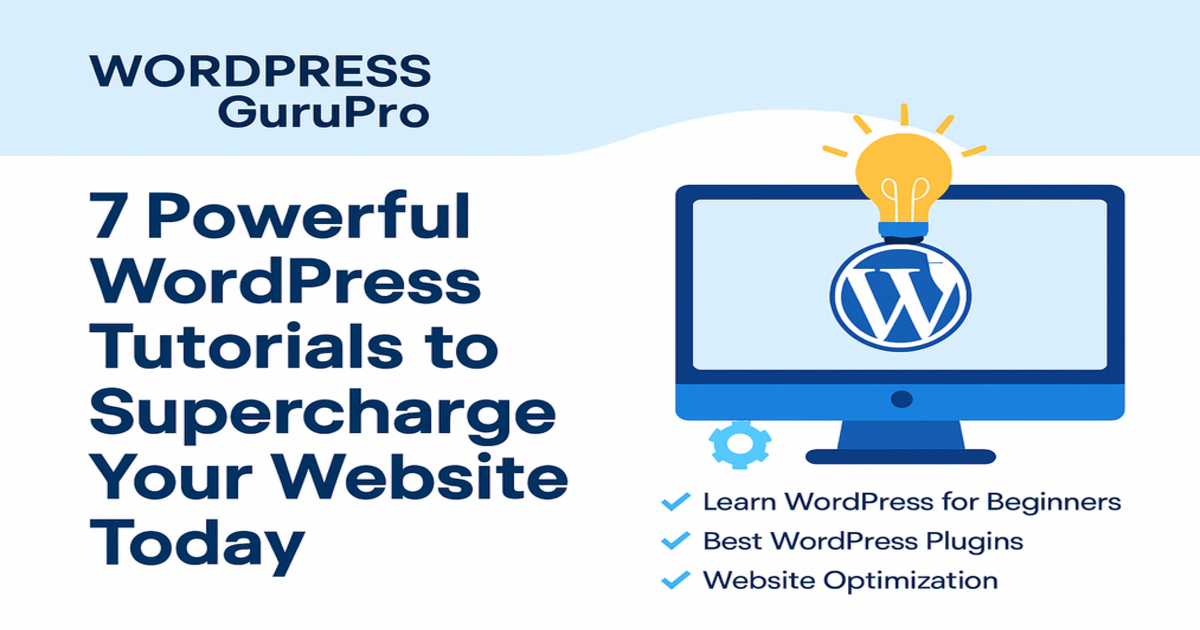
This article dives into seven powerful WordPress tutorials designed to supercharge your website today. From WordPress website optimization to beginner-friendly tips, these tutorials will help you improve WordPress site performance and take your online presence to the next level. Whether you're a novice or an experienced user, these resources will equip you with the knowledge to succeed. Let’s explore each tutorial in detail.
Why WordPress Tutorials Matter
Before we dive into the tutorials, let’s understand why investing time in learning through WordPress tutorials is a game-changer. WordPress powers over 40% of all websites globally, thanks to its user-friendly interface and vast ecosystem of plugins and themes. However, without proper guidance, many users struggle with common issues like slow loading times, poor SEO, or complex customization.
The best WordPress tutorials offer practical solutions to these challenges. They provide clear instructions, often with visuals or videos, to help you navigate WordPress’s features. For beginners, WordPress tips for beginners are especially valuable, breaking down technical jargon into actionable steps. For advanced users, tutorials on WordPress website optimization can fine-tune performance and enhance scalability.
By following these tutorials, you’ll not only save time but also avoid costly mistakes. Let’s now explore the seven tutorials that will supercharge your website.
Tutorial 1: Mastering WordPress Website Optimization for Speed
A slow website can drive visitors away and hurt your search engine rankings. WordPress website optimization is critical to ensure your site loads quickly and provides a seamless user experience. This tutorial focuses on optimizing your WordPress site for speed using built-in tools and plugins.
Steps to Optimize Your Site
- Choose a Lightweight Theme: Select a theme with clean code and minimal features to reduce load times.
- Enable Caching: Install a caching plugin like WP Super Cache to store static versions of your pages.
- Compress Images: Use tools like Smush or ShortPixel to reduce image file sizes without losing quality.
- Minify CSS and JavaScript: Remove unnecessary code using plugins like Autoptimize.
- Use a Content Delivery Network (CDN): Services like Cloudflare distribute your content globally for faster access.
Benefits
- Improved page load times (target under 3 seconds).
- Better user retention and lower bounce rates.
- Higher rankings on Google, which prioritizes speed.
Table 1: Speed Optimization Tools Comparison
| Tool | Free Version Available | Key Features | Best For |
|---|---|---|---|
| WP Super Cache | Yes | Caching, easy setup | Beginners |
| Smush | Yes | Image compression | Photographers |
| Autoptimize | Yes | CSS/JS minification | Developers |
| Cloudflare | Yes | CDN, security | Large sites |
Canvas Panel Suggestion: Create a bar chart comparing the average page load time reduction (in seconds) for each tool based on sample data (e.g., WP Super Cache: 2s, Smush: 1.5s, Autoptimize: 1s, Cloudflare: 2.5s).
Tutorial 2: Enhancing SEO with WordPress Tutorials
Search engine optimization (SEO) is vital for driving organic traffic. This tutorial leverages WordPress tutorials to teach you how to optimize your site for search engines using the All in One SEO (AIOSEO) plugin.
Steps to Improve SEO
- Install AIOSEO: Download and activate the plugin from the WordPress repository.
- Set Up Focus Keywords: Add your main keyword (e.g., "WordPress tutorials") and related terms in the post editor.
- Optimize Meta Tags: Craft compelling title tags and meta descriptions within the recommended character limits.
- Generate XML Sitemaps: Let AIOSEO create a sitemap to help search engines index your content.
- Track Performance: Use the built-in analytics to monitor keyword rankings.
Benefits
- Increased visibility on search engine results pages (SERPs).
- Higher click-through rates with optimized meta descriptions.
- Long-term traffic growth with consistent SEO efforts.
Canvas Panel Suggestion: Visualize a line chart showing monthly organic traffic growth (e.g., 100 visits in Month 1, 300 in Month 2, 600 in Month 3) after implementing SEO changes.
Tutorial 3: Improving WordPress Site Security
Security is a top concern for any website owner. This tutorial provides WordPress tips for beginners and advanced users to secure their sites against threats.
Steps to Secure Your Site
- Update Regularly: Keep WordPress, themes, and plugins up to date to patch vulnerabilities.
- Install a Security Plugin: Use Wordfence or iThemes Security for firewall protection and malware scanning.
- Enable Two-Factor Authentication (2FA): Add an extra layer of login security.
- Backup Your Site: Set up automated backups with UpdraftPlus.
- Limit Login Attempts: Prevent brute force attacks with plugins like Login LockDown.
Benefits
- Protection against hacks and data breaches.
- Peace of mind with regular backups.
- Enhanced trust from visitors and search engines.
Table 2: Security Plugin Features
| Plugin | Free Version | Malware Scanning | Firewall | Backup Integration |
|---|---|---|---|---|
| Wordfence | Yes | Yes | Yes | No |
| iThemes Security | Yes | Yes | Yes | Yes |
| UpdraftPlus | Yes | No | No | Yes |
Canvas Panel Suggestion: Create a pie chart showing the percentage of websites affected by common threats (e.g., 40% malware, 30% brute force, 20% outdated software, 10% other).
Tutorial 4: Customizing Your Site with the Best WordPress Tutorials
Customization sets your website apart from the competition. This tutorial uses best WordPress tutorials to guide you through using the WordPress Customizer and page builders.
Steps to Customize
- Access the Customizer: Navigate to Appearance > Customize in your WordPress dashboard.
- Adjust Theme Settings: Modify colors, fonts, and layouts.
- Use a Page Builder: Install Elementor or Beaver Builder for drag-and-drop design.
- Add Widgets: Enhance sidebars and footers with custom widgets.
- Preview Changes: Test your design before publishing.
Benefits
- A unique website that reflects your brand.
- Easier management of complex layouts.
- No need for coding skills with page builders.
Canvas Panel Suggestion: Design a bar chart comparing customization time (in hours) for manual editing (5h), Customizer (2h), and page builders (1h).
Tutorial 5: Boosting Performance with WordPress Website Optimization Techniques
Beyond basic speed optimization, this tutorial dives deeper into WordPress website optimization with advanced techniques.
Advanced Techniques
- Database Optimization: Use plugins like WP-Optimize to clean up unused data.
- Lazy Loading: Load images and videos only when they enter the viewport.
- Gzip Compression: Enable compression to reduce file sizes.
- Reduce HTTP Requests: Minimize the number of elements on each page.
- Monitor Performance: Use tools like GTmetrix for ongoing analysis.
Benefits
- Reduced server load and bandwidth usage.
- Enhanced mobile performance.
- Consistent high scores on performance tests.
Canvas Panel Suggestion: Visualize a line chart tracking website speed score improvement (e.g., 60% to 90% over 3 months) using GTmetrix.
Tutorial 6: Learning WordPress Tips for Beginners to Grow Confidently
For new users, navigating WordPress can be intimidating. This tutorial offers WordPress tips for beginners to build confidence and grow their sites.
Essential Tips
- Understand the Dashboard: Learn the key sections like Posts, Pages, and Settings.
- Use Starter Templates: Begin with pre-designed layouts from themes.
- Install Essential Plugins: Start with Yoast SEO and WPForms.
- Create a Content Plan: Plan posts to maintain consistency.
- Seek Community Help: Join WordPress forums for support.
Benefits
- Faster learning curve for newbies.
- A solid foundation for future growth.
- Reduced frustration with guided steps.
Canvas Panel Suggestion: Create a pie chart showing time spent on common beginner tasks (e.g., 40% content creation, 30% plugin setup, 20% theme selection, 10% troubleshooting).
Tutorial 7: Improving WordPress Site with Advanced Features
For seasoned users, this tutorial focuses on how to improve WordPress site functionality with advanced features.
Advanced Features
- Custom Post Types: Create unique content types like portfolios or events.
- WooCommerce Integration: Set up an online store with ease.
- API Development: Use the WordPress REST API for custom applications.
- Multisite Setup: Manage multiple sites from one dashboard.
- Performance Testing: Conduct A/B testing with plugins like Nelio A/B Testing.
Benefits
- Expanded site capabilities for diverse needs.
- Increased revenue potential with e-commerce.
- Scalability for growing businesses.
Canvas Panel Suggestion: Design a bar chart comparing revenue growth (in dollars) before and after WooCommerce integration (e.g., $0 to $500/month).
Integrating These Tutorials into Your Workflow
To maximize the impact of these WordPress tutorials, integrate them into a structured workflow. Start with the beginner tips to establish a foundation, then move to optimization and SEO. As you gain confidence, explore customization and advanced features. Regularly revisit performance and security tutorials to maintain your site’s health.
Sample Workflow
- Week 1: Set up your site with beginner tips.
- Week 2: Optimize speed and SEO.
- Week 3: Customize design and add features.
- Ongoing: Monitor security and performance.
Canvas Panel Suggestion: Create a Gantt chart showing the timeline for each tutorial step over four weeks.
Measuring Success with WordPress Tutorials
To gauge the effectiveness of these tutorials, track key performance indicators (KPIs). Use tools like Google Analytics to monitor traffic, bounce rates, and conversion rates. Compare these metrics before and after applying the tutorials to see tangible improvements.
Key KPIs
- Page Load Time: Target under 3 seconds.
- Organic Traffic: Aim for a 20% monthly increase.
- Bounce Rate: Reduce by 10%.
- Conversion Rate: Increase by 5%.
Canvas Panel Suggestion: Visualize a dashboard with real-time KPI updates using simple code (e.g., JavaScript to plot data points).
Conclusion
Mastering WordPress tutorials is the key to supercharging your website today. From WordPress website optimization to advanced features, these seven tutorials provide a comprehensive roadmap to enhance your site’s performance, security, and user engagement. Whether you’re looking for the best WordPress tutorials or WordPress tips for beginners, this guide has you covered. Start implementing these steps, and watch your website thrive in 2025 and beyond.
For ongoing learning, explore WordPress communities, online courses, and documentation. With dedication and the right tools, your WordPress site can achieve new heights. Ready to get started? Dive into the first tutorial today!
Key Takeaways
- Master Speed Optimization: Use WordPress tutorials to implement caching, image compression, and CDNs, reducing load times and boosting user experience.
- Enhance SEO Performance: Leverage plugins like AIOSEO to optimize meta tags and sitemaps, increasing organic traffic.
- Strengthen Security: Apply WordPress tips for beginners with security plugins and regular backups to protect your site.
- Customize Effectively: Utilize the Customizer and page builders from the best WordPress tutorials to create a unique design.
- Advance Your Skills: Learn WordPress website optimization techniques like lazy loading and database cleanup for better performance.
- Build Confidence: Follow beginner-friendly guides to navigate the dashboard and plan content successfully.
- Unlock Advanced Features: Use custom post types and WooCommerce to improve WordPress site functionality and scalability.
- Track Progress: Monitor KPIs like load time and traffic to measure the impact of these tutorials.
Frequently Asked Questions
Affiliate Disclosure: Some of the links in this post may be affiliate links. This means we may earn a small commission if you click on the link and make a purchase, at no additional cost to you. This helps support our work and allows us to continue providing quality content. We only recommend products or services we believe will add value to our readers.
Connect with Us
Stay updated with our latest WordPress guides, SEO tips, and AI tools. Follow us on social media or reach out via email!
 Website
 Facebook
 LinkedIn
 X (Twitter)
 Email
Email
 Contact
 You May Also Like:
Explore more powerful insights to level up your WordPress and SEO game:
-
 AI-Powered WordPress Tools & Websites: Discover how AI is revolutionizing development workflows in 2025.
-
50 Best ChatGPT Prompts for SEO: Boost your content and rankings with AI-driven SEO strategies.
-
International SEO Execution: Reach global audiences with smart keywords, UX, and backlinks.
-
Organic Search Visibility: Learn what it means and how to dominate your SEO space.
💡 Keep exploring insightful tips and strategies at WordPressGuruPro.com.